
-
HR Manage Application
-
-
- Articles coming soon
-
- Articles coming soon
-
- Articles coming soon
-
-
HR Manage Online
-
Config & Admin
-
IT Documentation
-
Version History
Sign Request (Internal)
Introduction
An Internal Sign Request allow multiple users on HR Manage to sign a pack of documents together. All users must have HR Manage credentials and signing will take place on HR Manage.
The Process
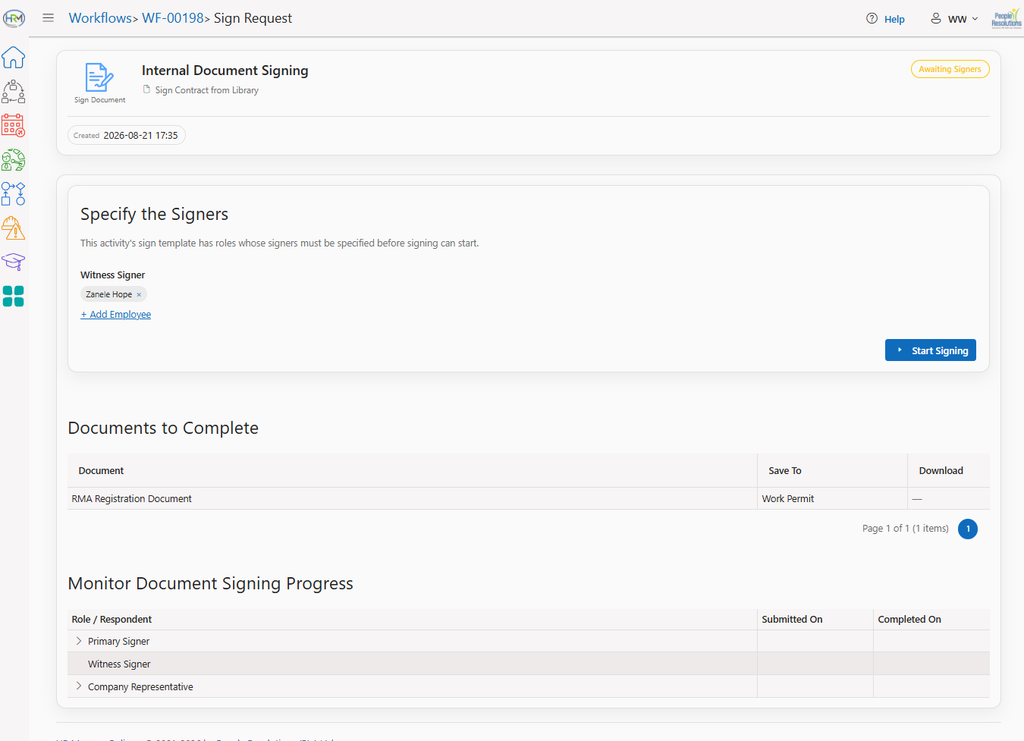
Start the activity
The owner of the activity will start the activity. This will usually be automatic, but if there are any roles in the sign template that wasn’t pre-assigned, the system will ask the user to assign people to those roles before starting. Once started, the recipients in the first role will get email notifications.
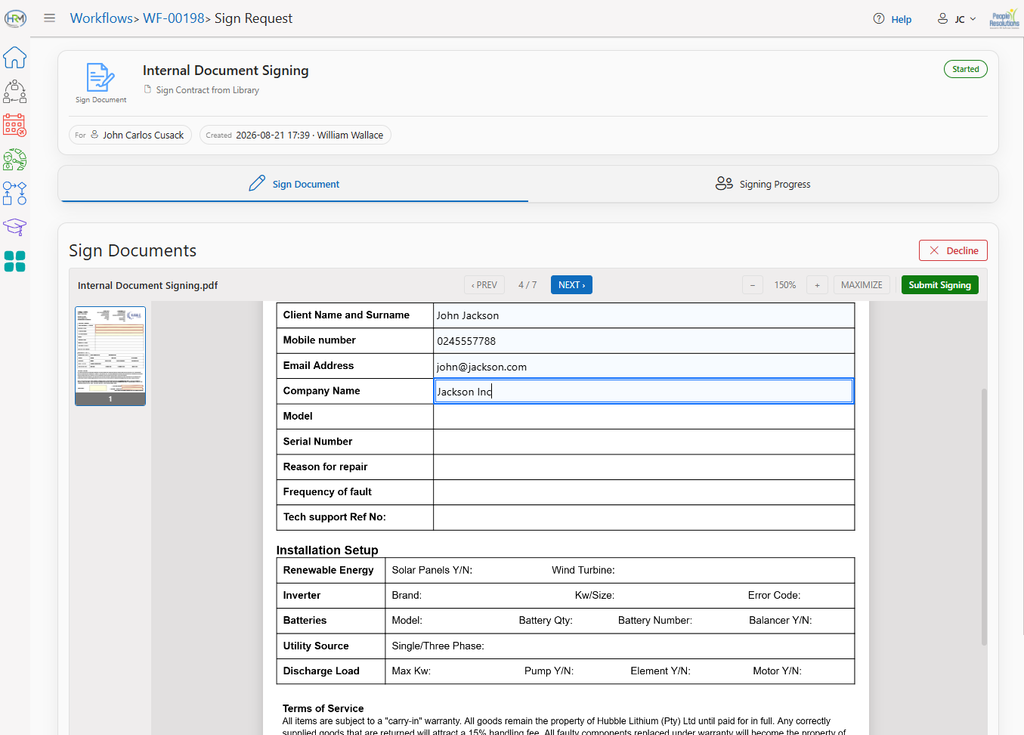
Signing the Document pack
It is possible for multiple people to be assigned to a role. In that instance, anyone from the list of recipients can sign the document and after the first person signed, the others will be blocked from signing.
The recipient can also Decline to sign by clicking the Decline button. In that case, the whole activity will be rejected and the workflow will flow to the “Failed” path.
Completion
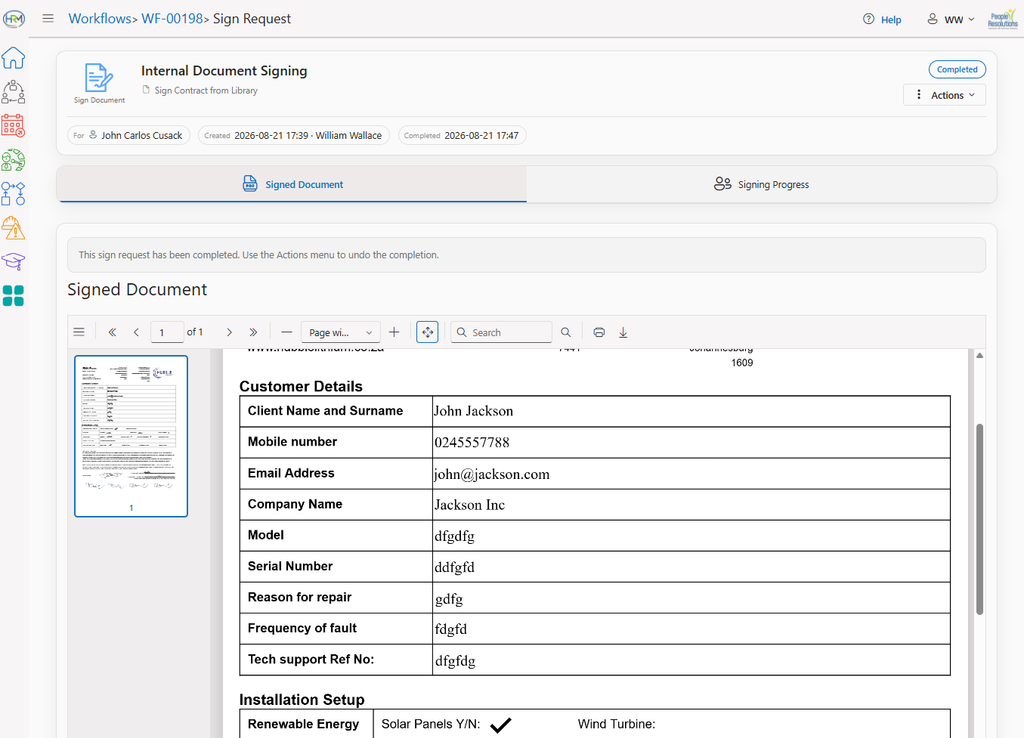
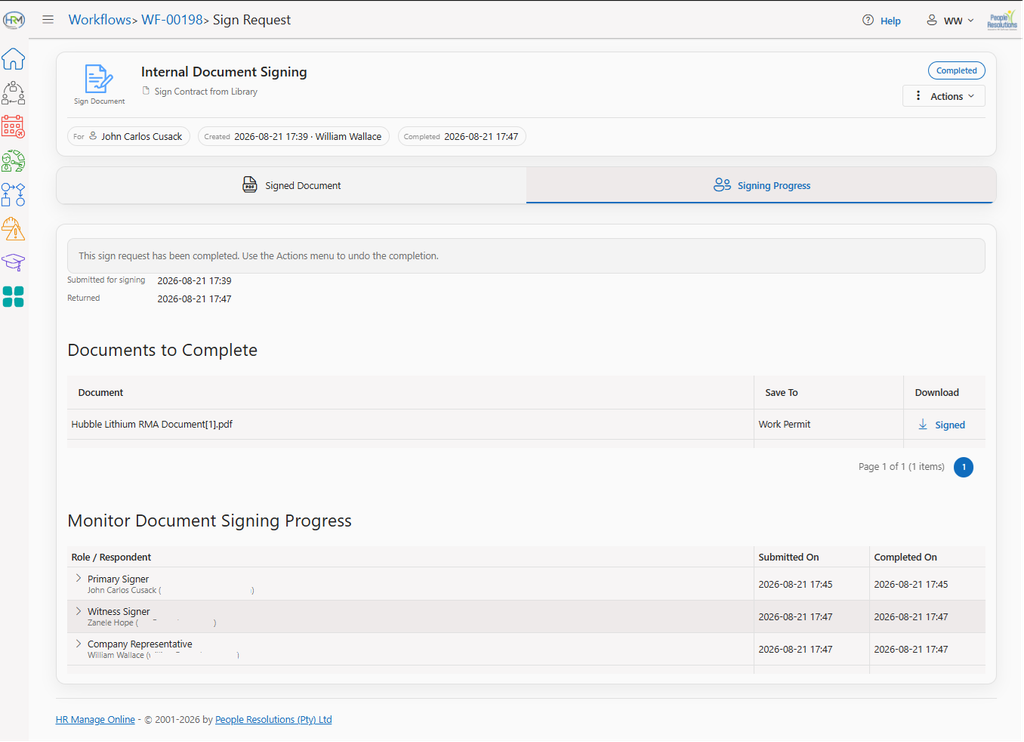
Once the documents have been signed by all parties, the document will be viewable and individual documents (that made up the document pack), can be downloaded.