-
HR Manage Application
-
-
- Articles coming soon
-
- Articles coming soon
-
- Articles coming soon
-
-
HR Manage Online
-
Config & Admin
-
IT Documentation
-
Version History
Create Training
This page only contains the details with regards to this creating or editing this specific type of activity. You should already have a basic understanding of how to create and edit workflow activities in the Workflow Designer.
Click here for the guide on how to do that.
Purpose
The Create Training activity is used to schedule a batch of training for an employee. This activity is ideal for scheduling someone for e-Learning or induction training.
Creating a Training Creation activity
From the Workflow Designer, right-click on the current activity that you want to flow into the new activity, move over the New Activity menu for the appropriate path (On Approval or Rejection) and click the Create Training Records activity item. Alternatively, simply click the Create Training Records Activity item from the New dropdown button on the toolbar. This will open the following Activity Editor.
Fields specific to this type of activity
Activity Information
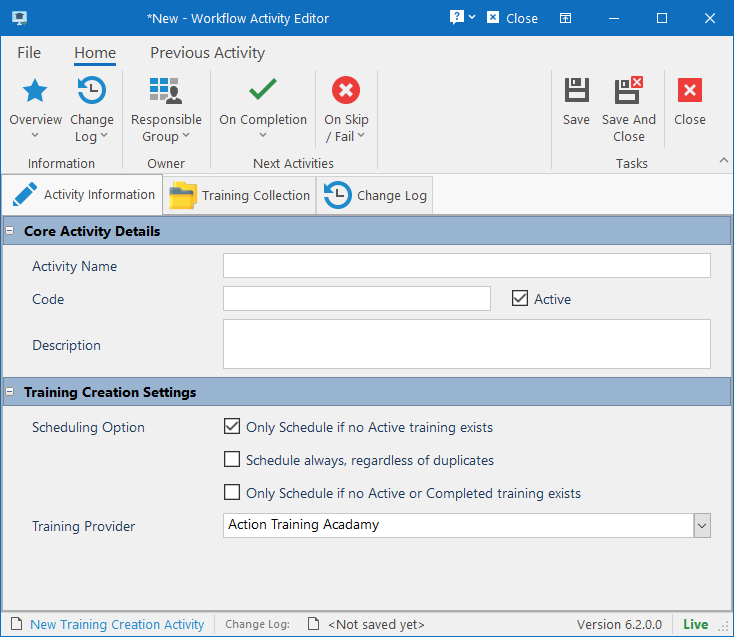
Scheduling Option
Specify in which instances training from the training collection should or shouldn’t be scheduled. This is to prevent possible duplicate training.
Training Provider
Specify which Training Provider should be specified when creating the training records.
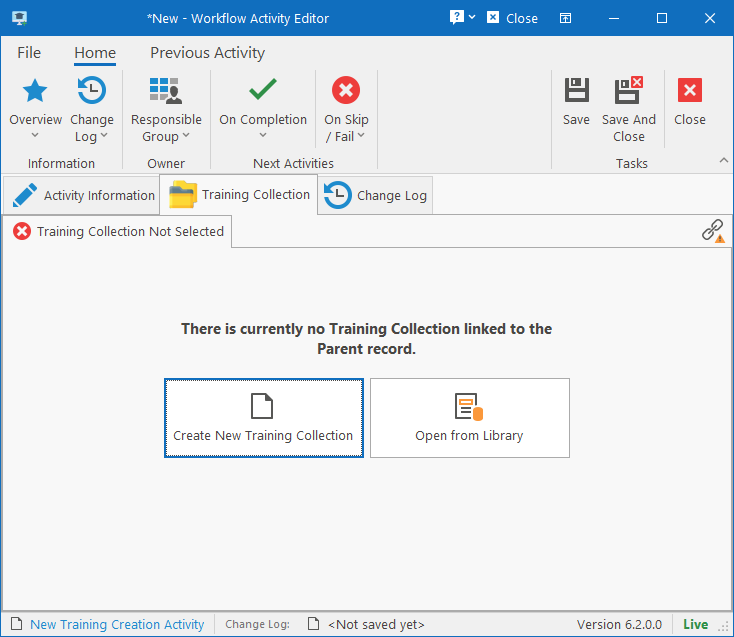
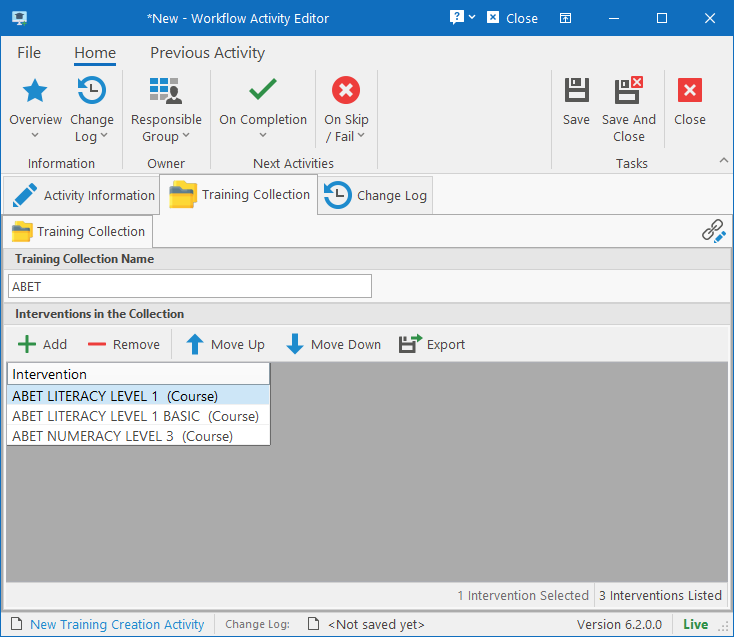
Training Collection
The Training Collection determines which interventions should be scheduled. You can either create a new training collection from here or choose one from the library. If a Training Collection has already been selected and you wish to select another one from the library instead, then simply click the Link button in the top-right corner and choose Open Another Template.