Sign Request (External)
Introduction
The External Sign Request activity allows you to send a document for signing to someone not part of your organisation or not on company network. The document is signed on an external portal that HR Manage integrates with.
The process
Starting the activity
The activity owner starts the activity from the workflow. This automatically creates the sign request in HR Manage and on the public Document Signing Portal which in turn, sends out the email notifications to the people who can sign the first role.
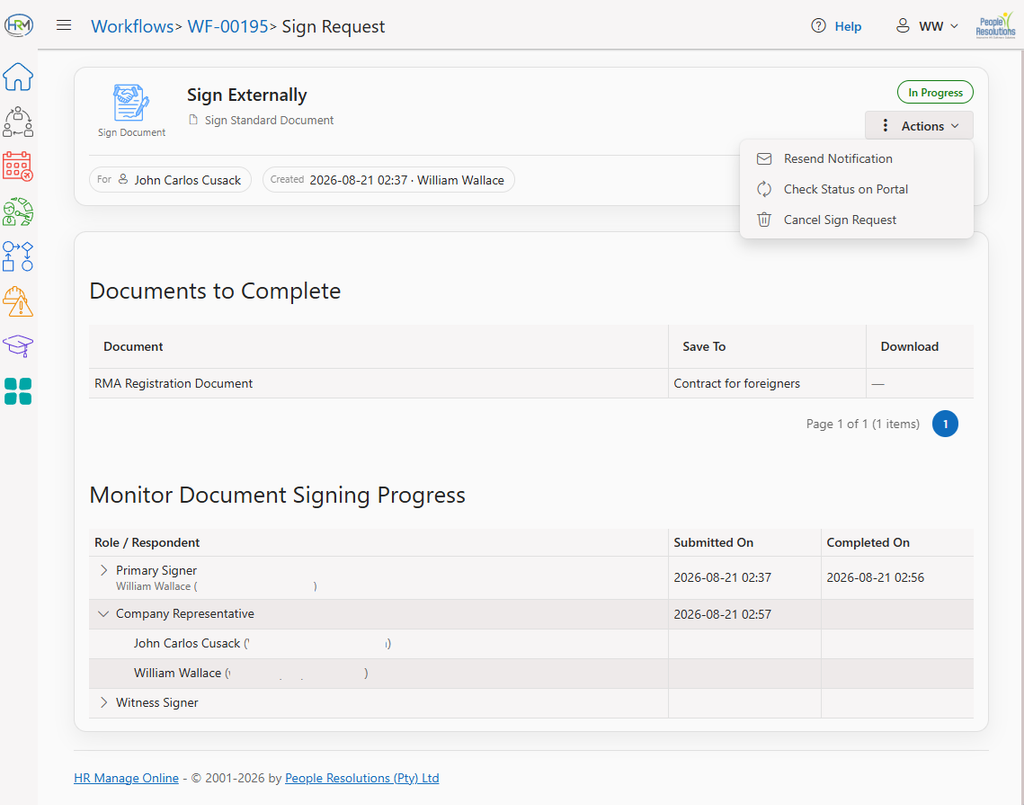
The Sign Request activity page allows people involved with the Sign Request to view the progress, resend the last notification and if the logged in person is supposed to be signing the document, a button will be available to go to the signing portal (already authenticated).
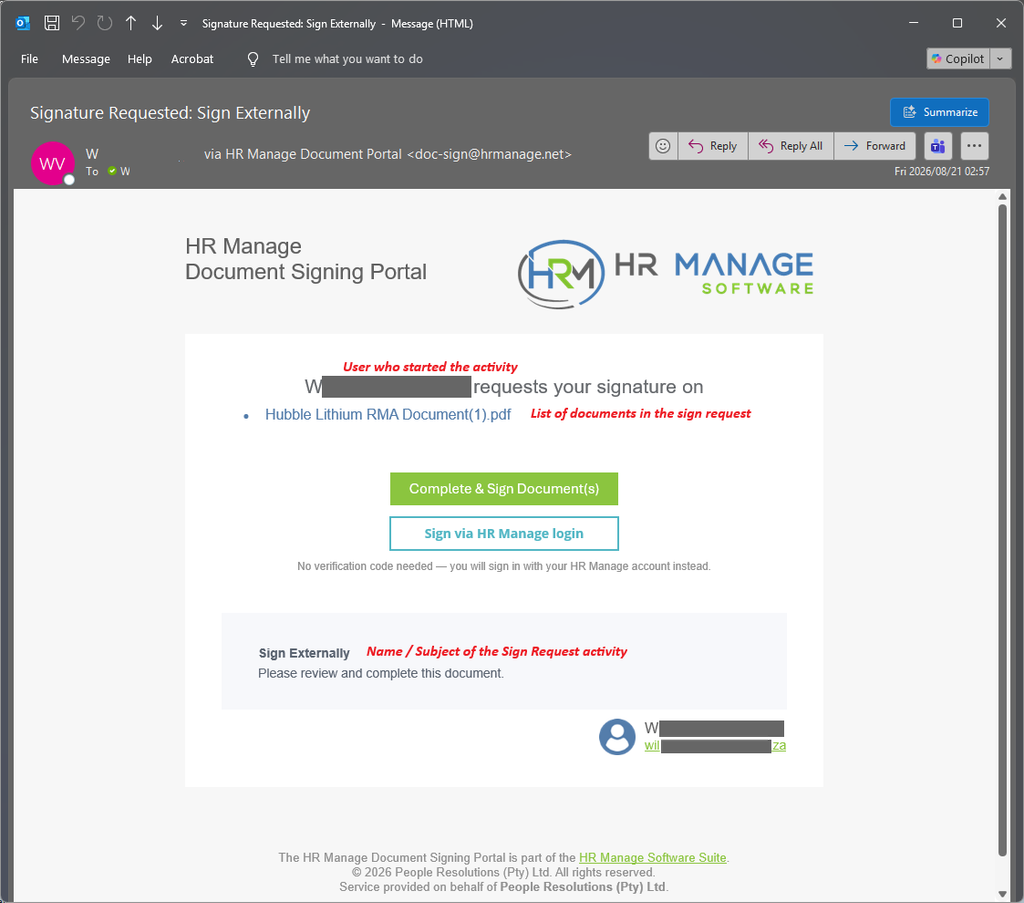
The email notification will show the activity owner, the company name, the activity / sign request name and the list of documents that will be signed by the request. If the recipient is someone in HR Manage, a quick-link will be displayed where the user can access the portal through HR Manage without needing to authenticate using an OTP.
Signing the document pack
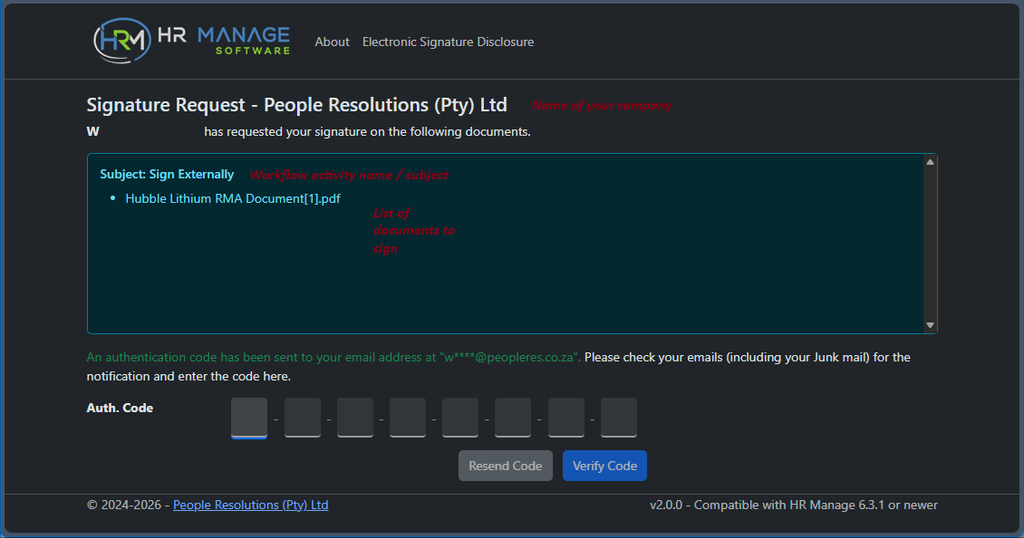
Once the recipients start accepting the links to sign the document, they’ll be directed to the public Document Signing Portal. They’ll start off by accepting the Electronic Signature Disclosure and confirming their email address. The system will then send a One Time Pin to their email that they must enter in order to proceed.
Note that users who used the direct HR Manage link (either from HR Manage or the email notification), don’t need to go through the OTP authentication.
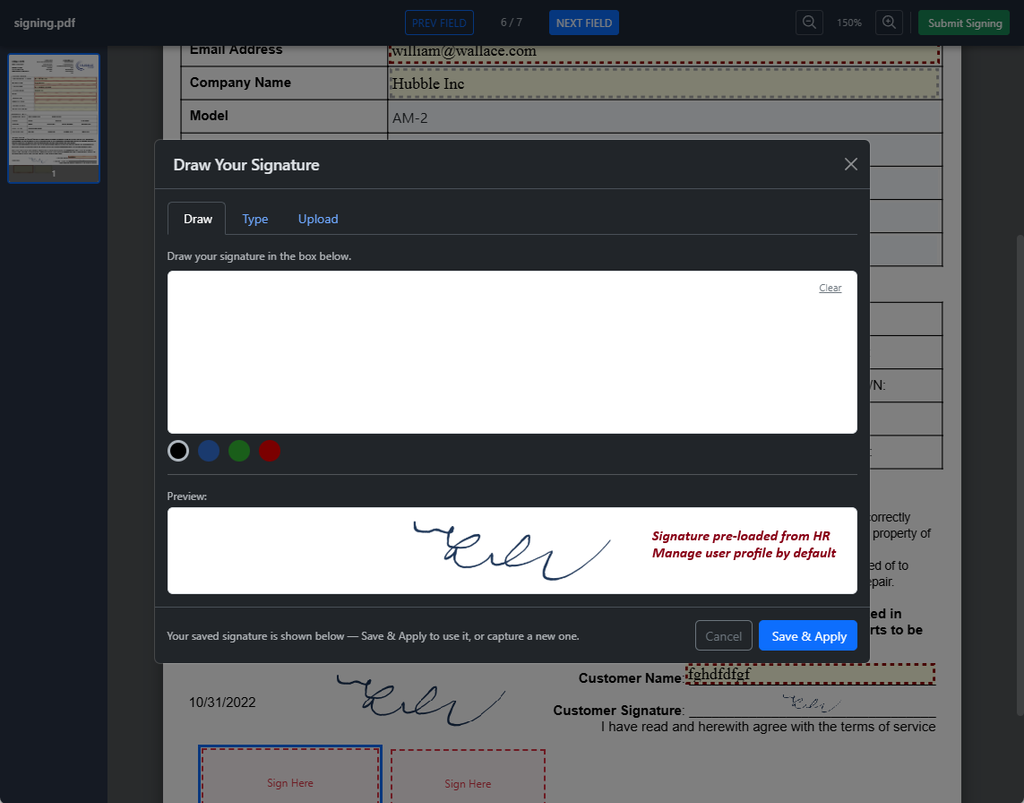
Once authenticated, the recipient can proceed to complete the fields assigned to their role. All the fields that were marked as “Required” needs to be completed before the document pack can be submitted. Clicking on a signature box allows the user to upload, draw or type their signature which is then automatically applied to all signature boxes on the document. For users coming from HR Manage, the signature box will be pre-populated with their stored signature.
Completion
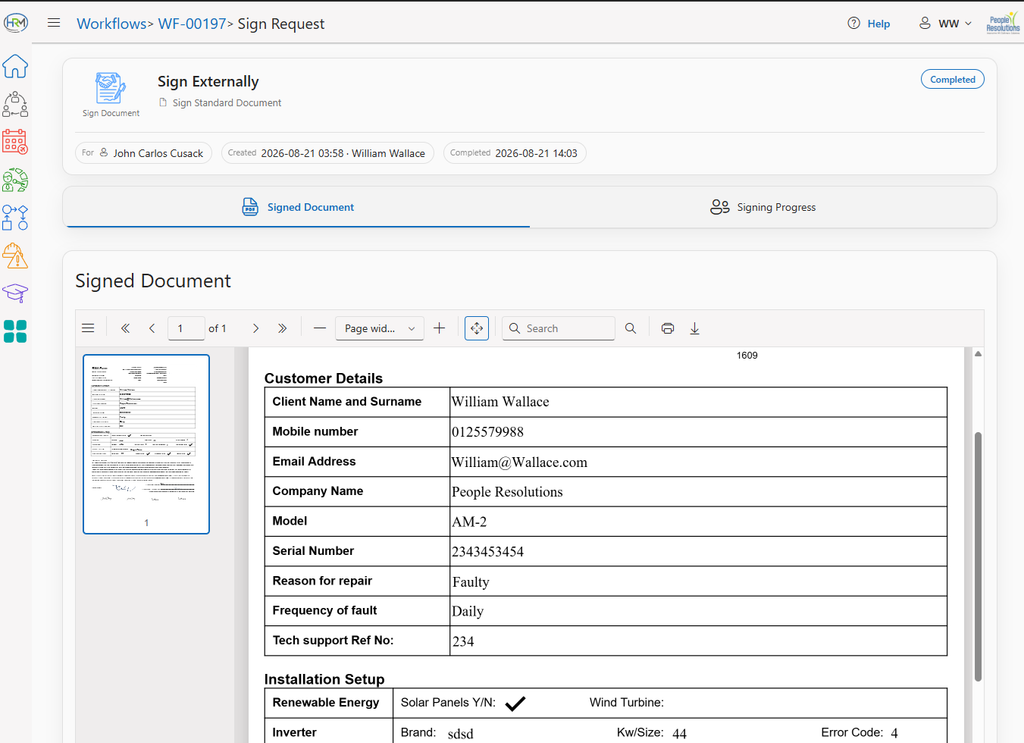
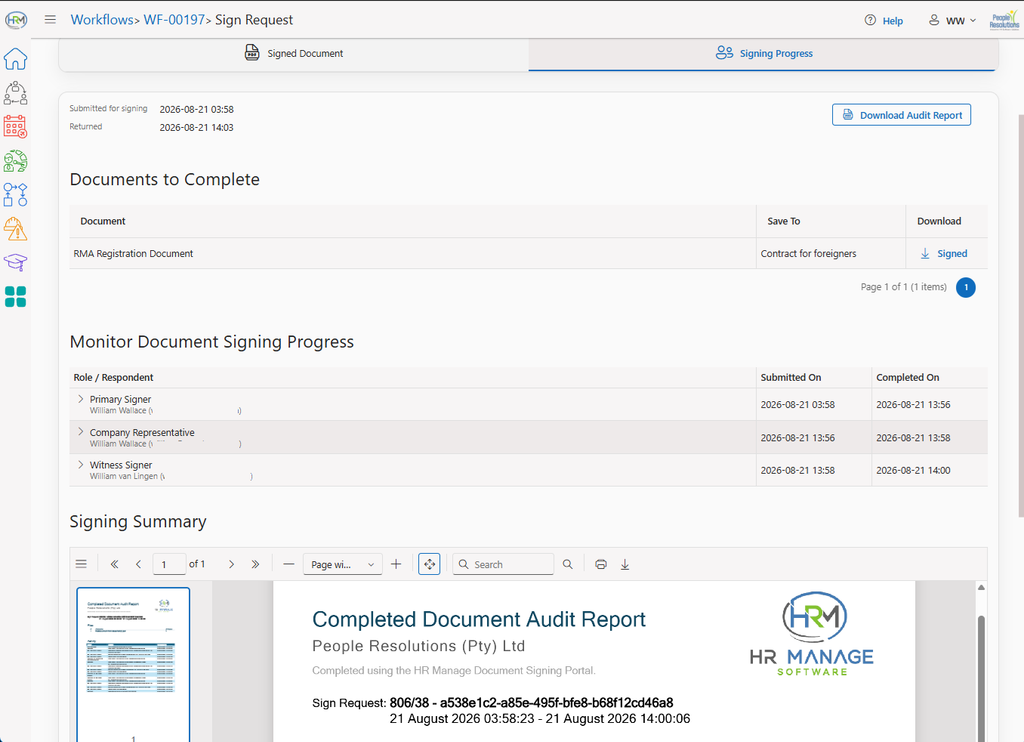
Once all the roles / recipients have completed their parts of the document, the final completed document with audit report is sent back to HR Manage. When opening the Sign Request Activity page after completion, the final completed document will display on the first tab and the step-by-step details will be displayed on the second tab with the audit report.