
How Can We Help?
-
HR Manage Application
-
-
- Articles coming soon
-
- Articles coming soon
-
- Articles coming soon
-
-
HR Manage Online
-
Config & Admin
-
IT Documentation
-
Version History
< All Topics
Print
Job Title Library
Posted
Updated
Introduction
A Job Title in HR Manage contains all the information about a job and links to categories used for reporting purposes like EE and SETA reporting. The Job Title also serve as the main point where Job Profiles can be created and managed.
Managing Job Titles
HR Manage has a library to manage all the job titles for an organisation. To access it, simply open HR Manage and go to the “Job Profiling & Performance” (or JP/PMS) module and click on the Manage Job Titles menu item. The will open the Job Title Manager.
The Job Title Manager is a standard Manager Form. For more information about how to use it, see System Basics / Manager Forms.
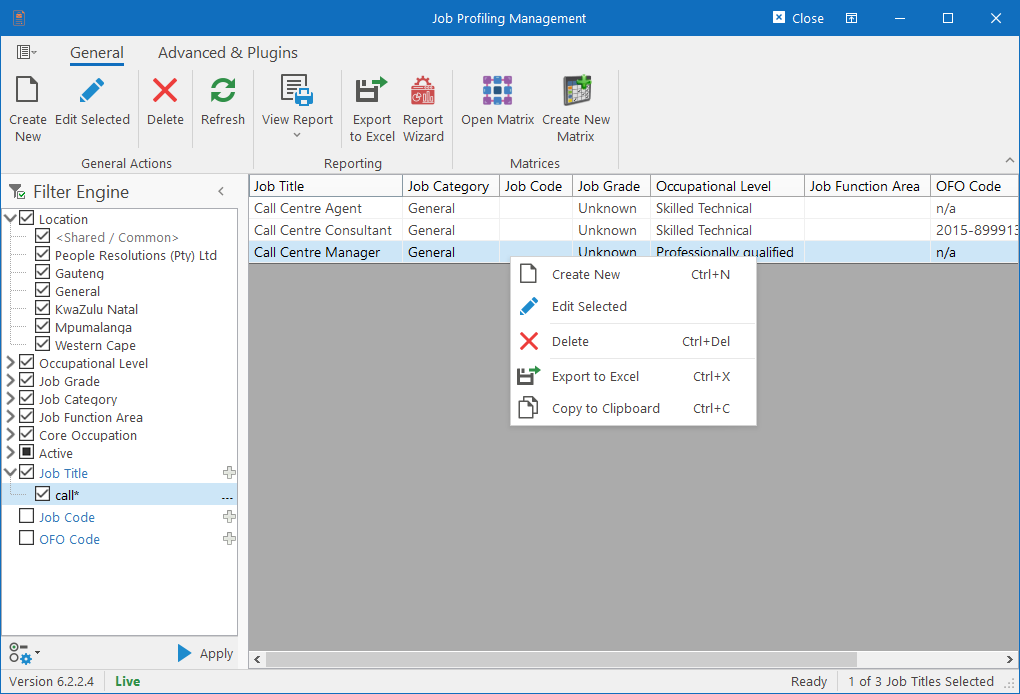
Creating or Editing Job Titles, will open the Job Title Editor.
Table of Contents