-
HR Manage Application
-
-
- Articles coming soon
-
- Articles coming soon
-
- Articles coming soon
-
-
HR Manage Online
-
Config & Admin
-
IT Documentation
-
Version History
Application Batch Updating
Getting Started
HR Manage allows forcefully updating the status of leave applications in a batch. This will let the logged in administrator, forcefully Approve, Complete, Reject or Cancel multiple leave applications at once. Note that this process will ignore the rest of the workflow and simply force the new status. This functionality is ideal to update the status of forced leave (i.e. for when the company closes over the end of the year).
Open the Leave Record Manager, apply the filter and select more than one leave application to update the status of. Note that only Leave Applications can be selected (not leave records or adjustments). Then simply click on the Edit Selected button on the ribbon bar or press the Enter key.
Leave Updater
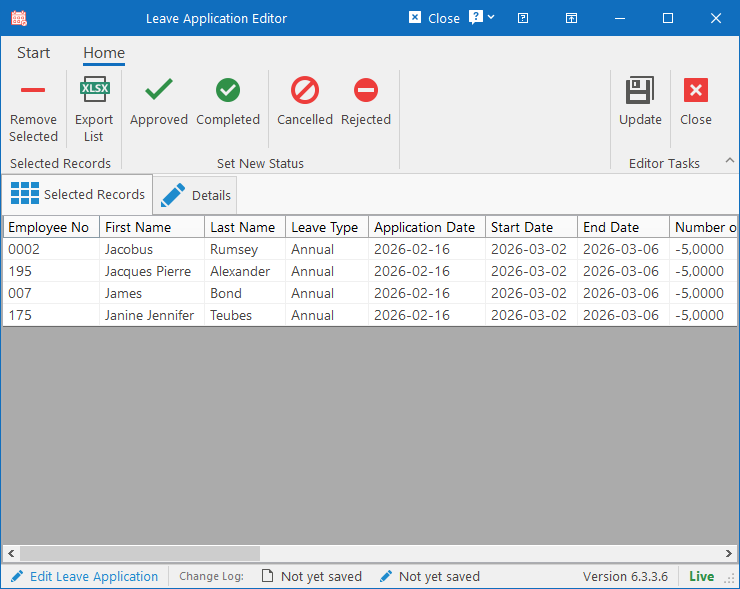
On the first tab, you’ll see all the selected leave applications whose status will be updated. You can remove any applications from this list that shouldn’t be updated by selecting an application and clicking the Remove Selected button on the ribbon bar.
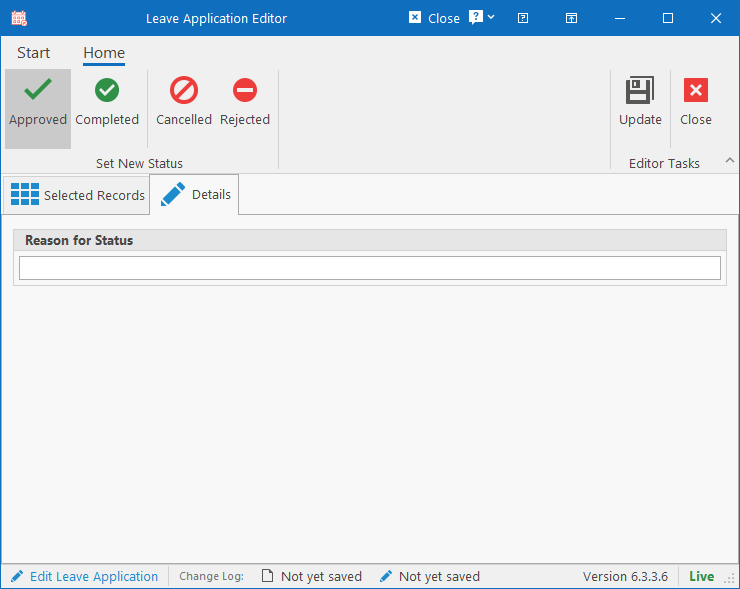
On the Details tab, select the new status on the Ribbon bar and specify the reason for the forceful update. Then simply click the Update button to complete the process.