
How Can We Help?
-
HR Manage Application
-
-
- Articles coming soon
-
- Articles coming soon
-
- Articles coming soon
-
-
HR Manage Online
-
Config & Admin
-
IT Documentation
-
Version History
< All Topics
Print
Position Library
Posted
Updated
Introduction
A Position in HR Manage represents an entity that consists of a job title and the location within the organisation and each Position can be filled only by a single person. When the person who occupies the position moves or leaves the organisation, the position remains, but becomes vacant.
Managing Positions
HR Manage has a library to manage all the positions within an organisation. To access it, simply open HR Manage and go to the “Job Profiling & Performance” (or JP/PMS) module and click on the Manage Positions menu item. The will open the Position Manager.
The Position Manager is a standard Manager Form. For more information about how to use it, see System Basics / Manager Forms.
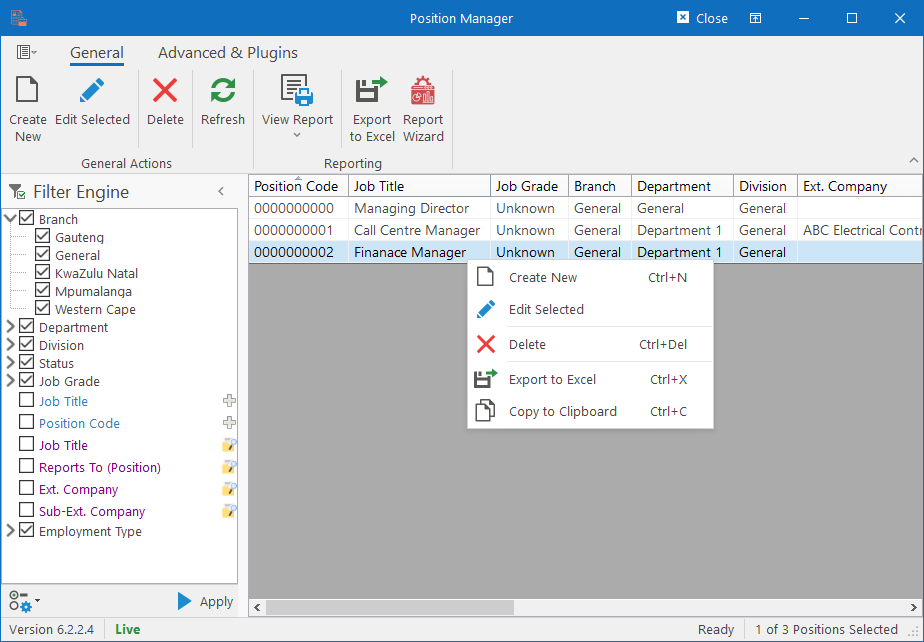
Creating or Editing Positions will open the Position Editor.
Table of Contents