
How Can We Help?
v6.3.3.6 – 14 November 2025
Version 6.3.3.6
Released on: 14 November 2025
Type: Medium Upgrade
3rd Party Integration
- LearnTech
- Updated LearnTech integration to make use of their new APIs
- Fixed an issue that preventing users to automatically sign into LearnTech’s eLearning from within HR Manage.
- Fixed a SimplePay API used for syncing leave balances where leave balances for weekly staff were being excluded.
- Fixed an issue with CognitoForms integration where questions in sub-sections within sub-sections weren’t pulling through.
General
- Upgraded 3rd party components to the latest version.
Asset Register
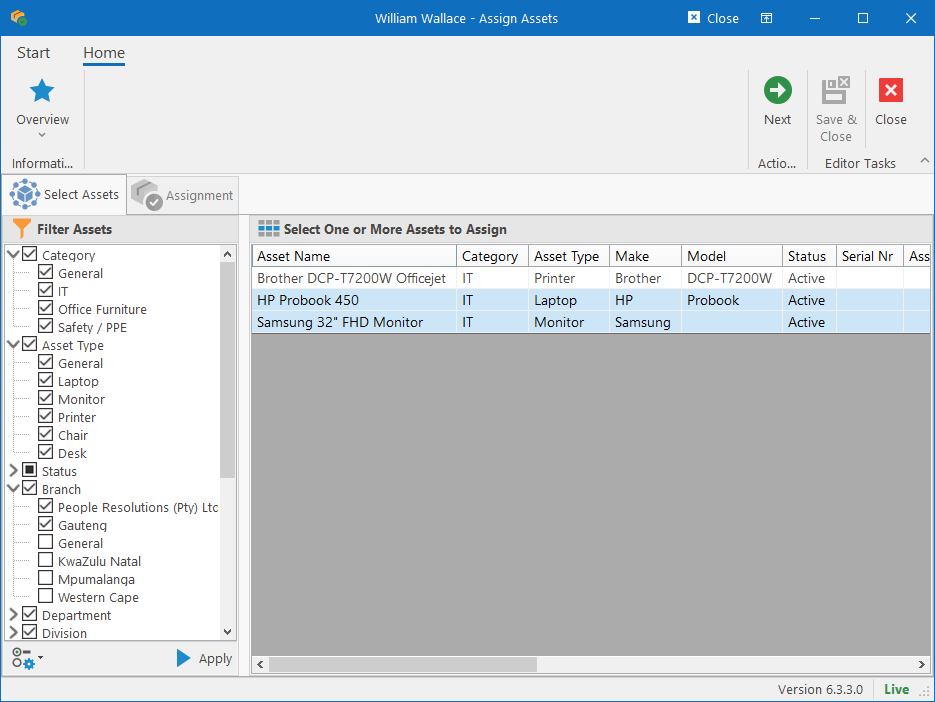
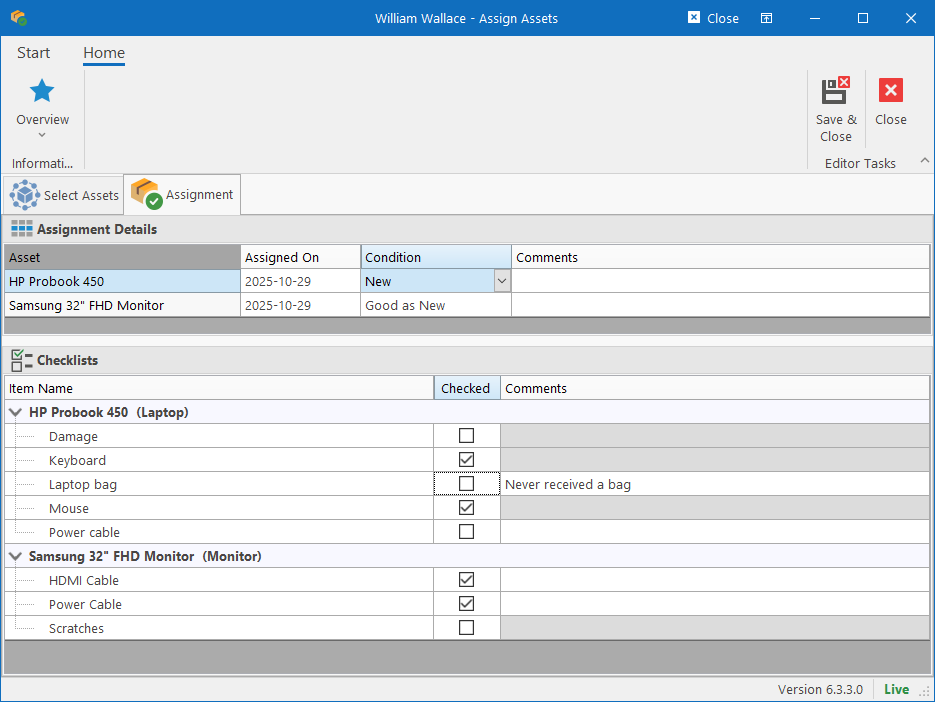
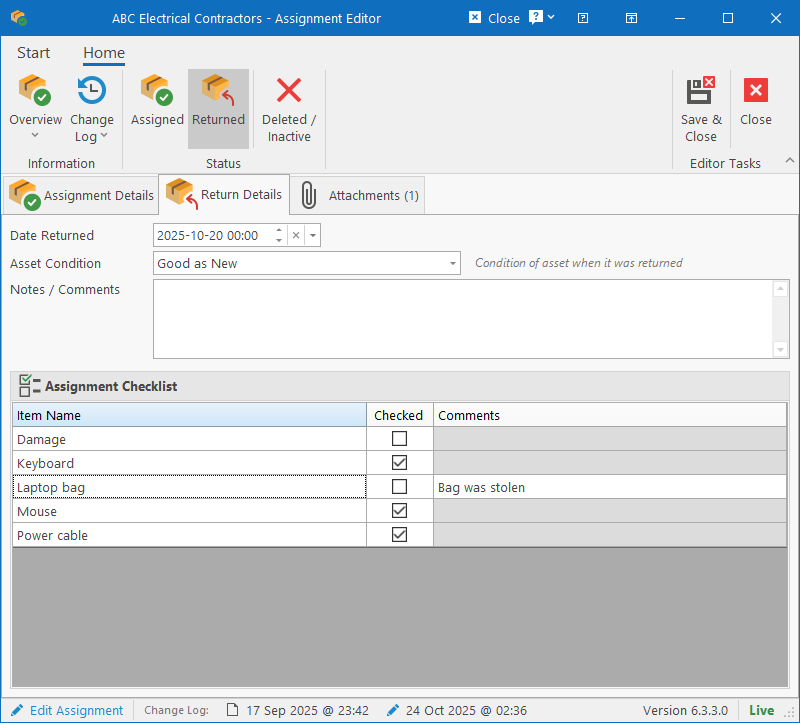
- Added a new Checklist feature that is linked to Asset Types. The predefined checklist automatically becomes available to all assets of that type and must be completed when assigning and returning assets.
- Added a “Jump To” section from the Employee Manager to quickly view all assets currently assigned to a specific person.
- Batch assignment. It is now possible to assign multiple assets to a person in a single action using the Batch Assignment editor.
BI Reporting Tool
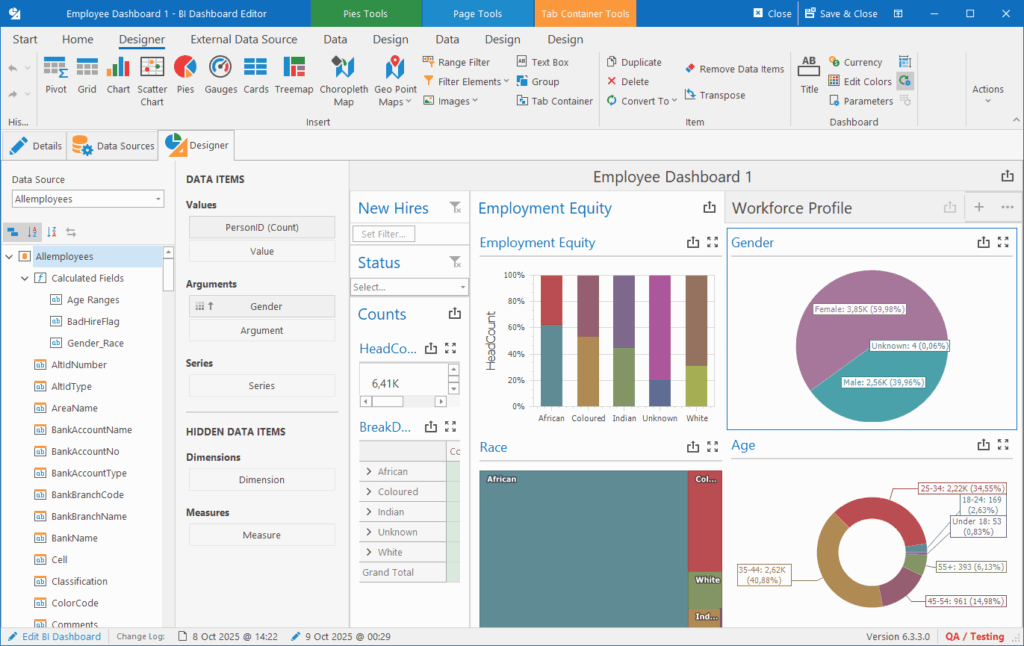
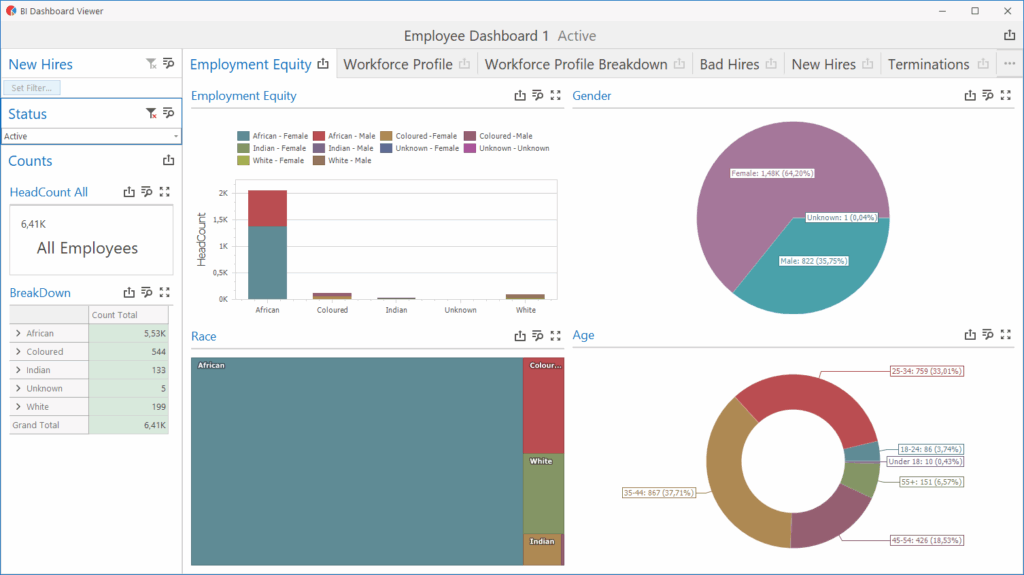
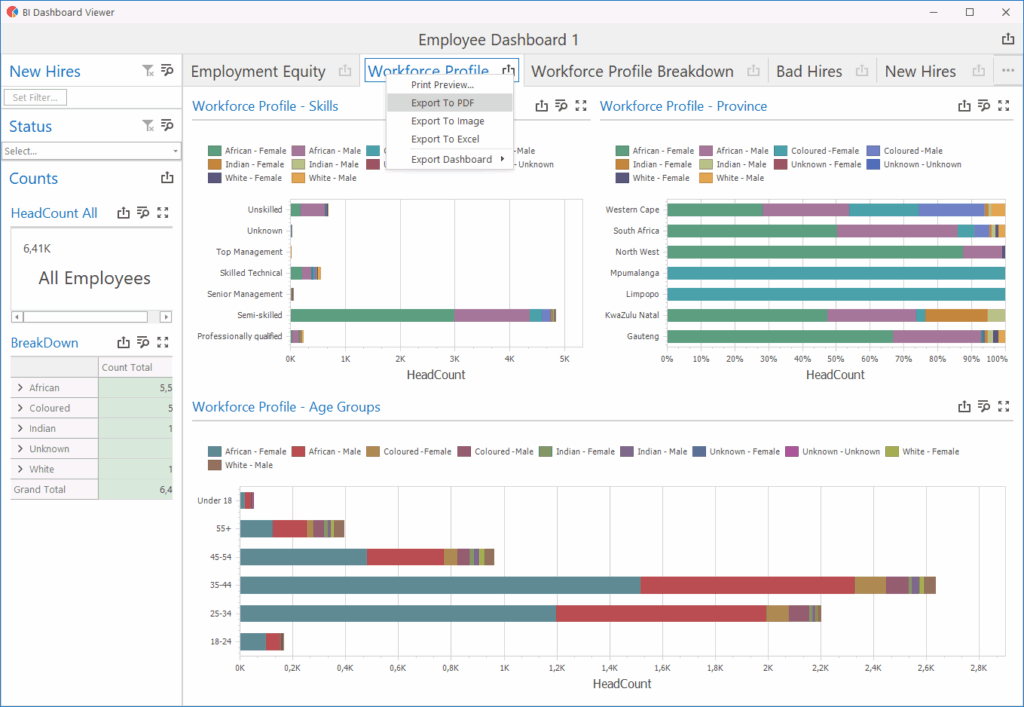
- New platform for designing and viewing BI Reports
- We’ve created a Data Source Library that can be used for both BI Reports and External APIs.
Employment Equity
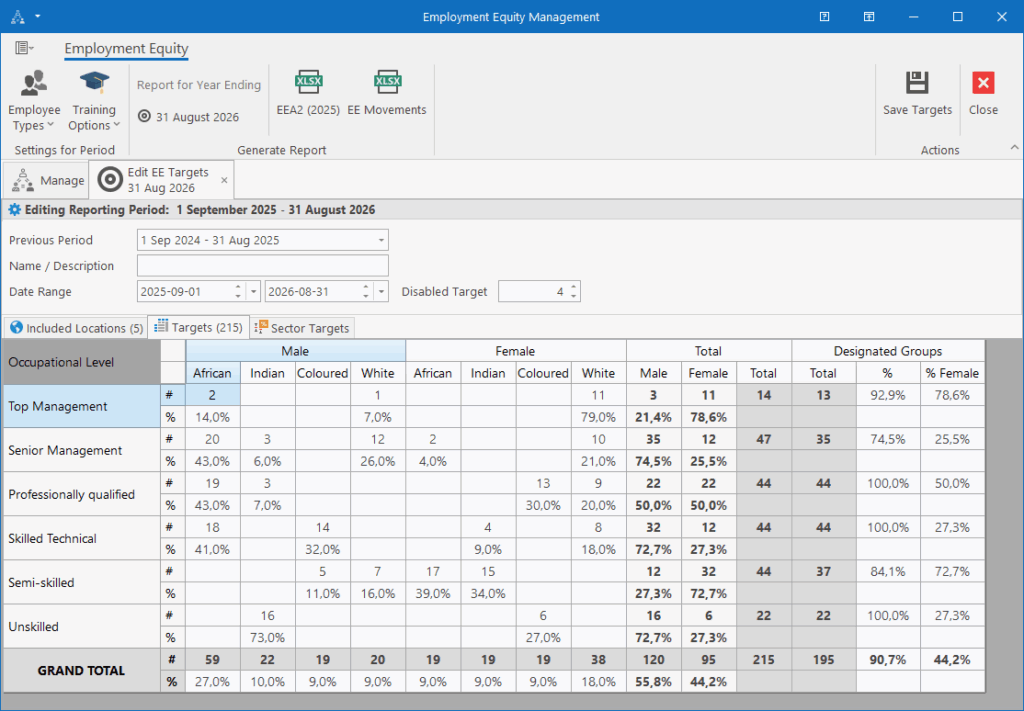
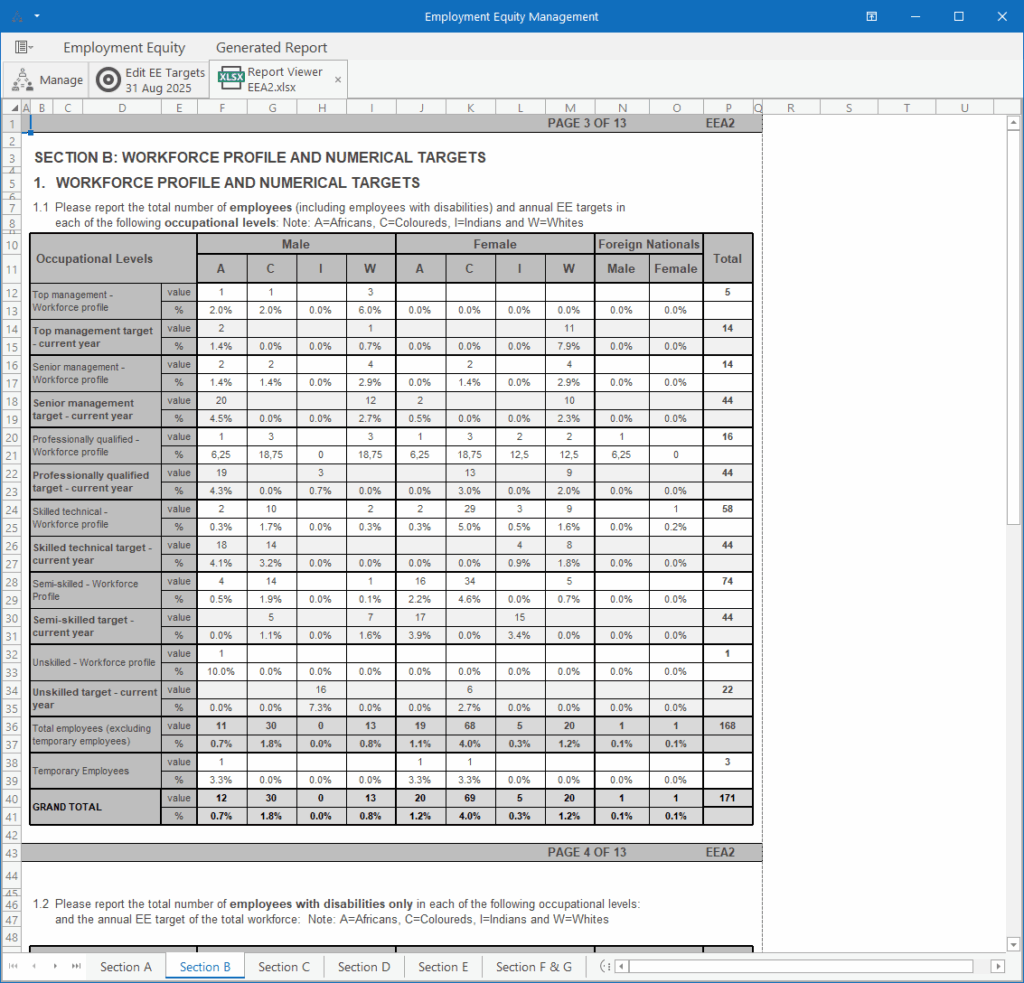
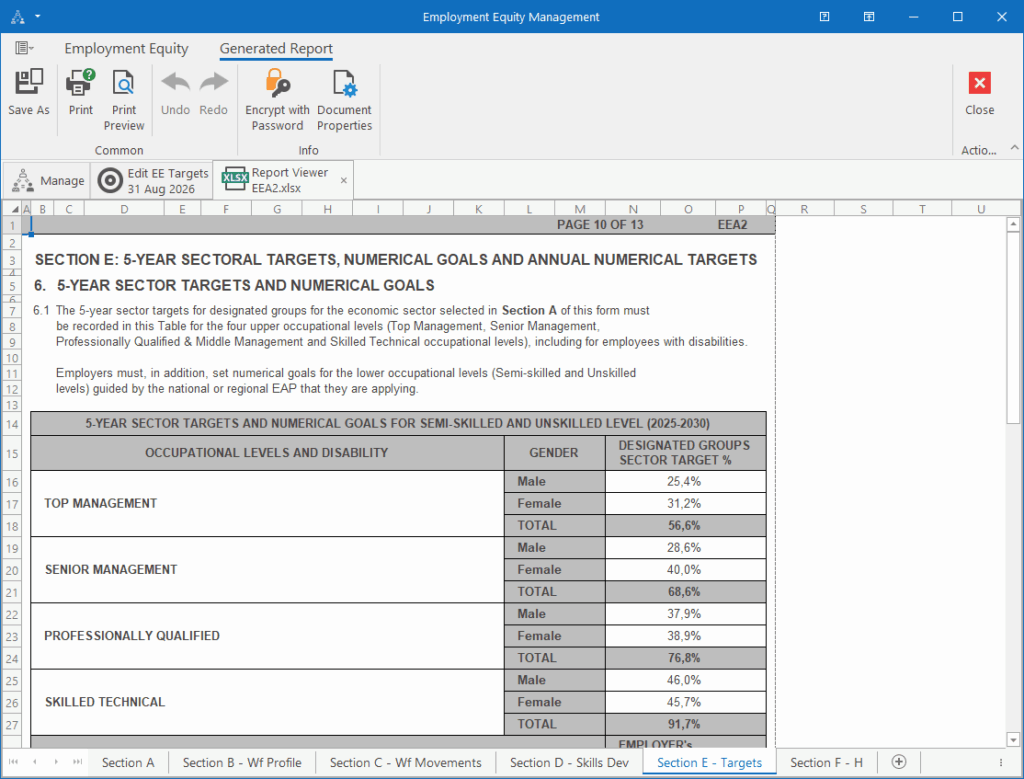
- Updated the Employment Equity report template to generate the new 2025 version directly from HR Manage with the click of a button.
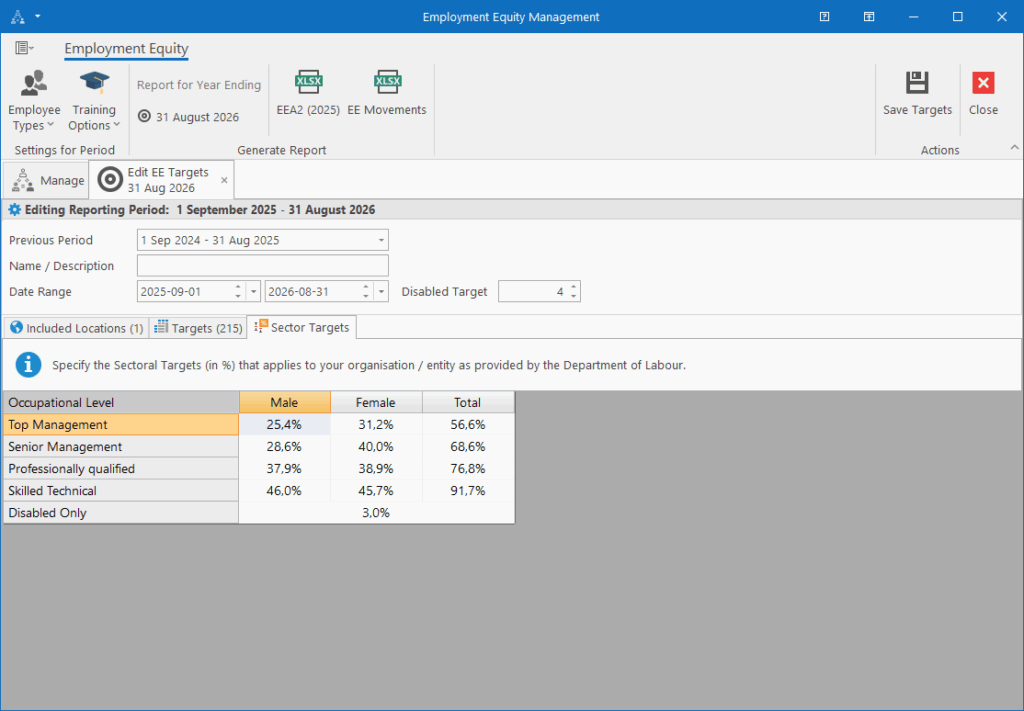
- Updated the Employment Equity Targets capturing to include percentages and additional useful calculations.
Industrial Relations Module
- This is a rewrite of our Disciplinary & Grievance module. The original module was written over 15 years ago.
- We’ve created a new entities called “Cases” and “Hearings” that will make up the module.
- A disciplinary action and grievance are types of cases. It is now possible to define additional types of cases.
- A Case consists of one or more Hearings and is used to track the progress of a case. Examples of “Hearings” are Internal, Mediation, Appeal, CCMA, Labour Court, etc.
- The “Disciplinary Register” menu item under the employee module has subsequently been renamed to “IR Case Management”.
- The new module is built on our new UI framework, easier and faster to use. It also features built-in spell checking.
- Attachments can now also be assigned to categories.
- The online help portal will be updated with the latest information on how to use the Case Management functionality. For more information, see the “Case Management (Disciplinaries)” section under the “People Management” block.
Note that if there were any external integrations that referenced our old Disciplinary module, it will need to be updated to refer to the new structures.
Other fixes
General
- Fixed an issue where the UI becomes unresponsive when attempting to create a new document in the published document library.
- #004025: Web layout editor sometimes crashed when editing certain Html content.
People Management
- #004033: Fixed an issue when attempting to save an employee photo in the previous version.
- #004034: Fixed an error that displayed after saving a legacy document to an employee (error was related to refreshing the UI after saving).
- #004039: Fixed an issue where a position wasn’t made vacant again when terminating the employee from within the Employee Editor (instead of through the Termination screen).
Training
- Schedule Training Wizard
- Disabled Tracking options when selecting an intervention that doesn’t support tracking
- Added a warning when proceeding in the wizard without selecting a venue.
- #004026: When creating a new training event without learners, the wizard didn’t give a clear enough indication that the event was successfully created.
- #004049: When certain training records failed to create after completing the Schedule Training Wizard (i.e. due to duplicates), the failed records weren’t being reflected in the Wizard Results.
- #004036: Fixed an issue that allowed training that was marked as “once only”, to be scheduled again.
- Fixed an issue where the training duration calculation was a day short.
- Made an adjustment so that the Training Expiry Date can be specified without first specifying the Date Competent. In which case, the expiry date will be calculated from the End Date.
- #005061: Fixed an error when trying to Publish a Training Event that does not have a Venue specified.
Leave Administration
- #004024: Leave Type editor now allows accrual for every 6 & 7 years (previously only up to 5 years).
- #004048: Fixed an error when overapplying for leave where the leave type was configured for only an Overflow type, but without migration options set.
Workflows
- #004037: Fixed an error when rolling back a Sign Off Workflow activity that has been escalated.
- #004011: Fixed an error when trying to download a generated document where the filename contains non-standard characters.
- #004041: Fixed an issue where it was possible to start multiple/duplicate sub-workflows from a “Create Workflow Activity” when the parent workflow was open in multiple browser tabs.
Asset Register
- Fixed an issue that could caused duplicate assets to be created when using the Save button instead of Save & Close.
- #004059: Fixed an error that occurred while trying to refresh the UI when returning an asset from the Employee Jump To screen.
- #004061: The Employee / Jump To / Assets screen will now only list active assigned assets and returned assignments can only be viewed by including inactive assets in the filter.