
-
HR Manage Application
-
-
- Articles coming soon
-
- Articles coming soon
-
- Articles coming soon
-
-
HR Manage Online
-
Config & Admin
-
IT Documentation
-
Version History
Managing Institutions
Introduction
A Hearing Institution in HR Manage represents an institution that can be involved in a case (i.e. Disciplinary, Grievance, Investigation, etc.). It can be a specific branch of the CCMA or Labour Court or a private company where applicable.
The institution is selected for a hearing during the Case progress.
Getting Started
Open the Employee Module and click on the Configure Module button on the left menu to open the module configuration screen. On the left menu, under the “Industrial Relations (Disciplinary)” section, click on the Hearing Institution item to open the list of currently stored institutions. From here, click on Create New or open the institution you wish to edit which will open the Hearing Institution Editor.
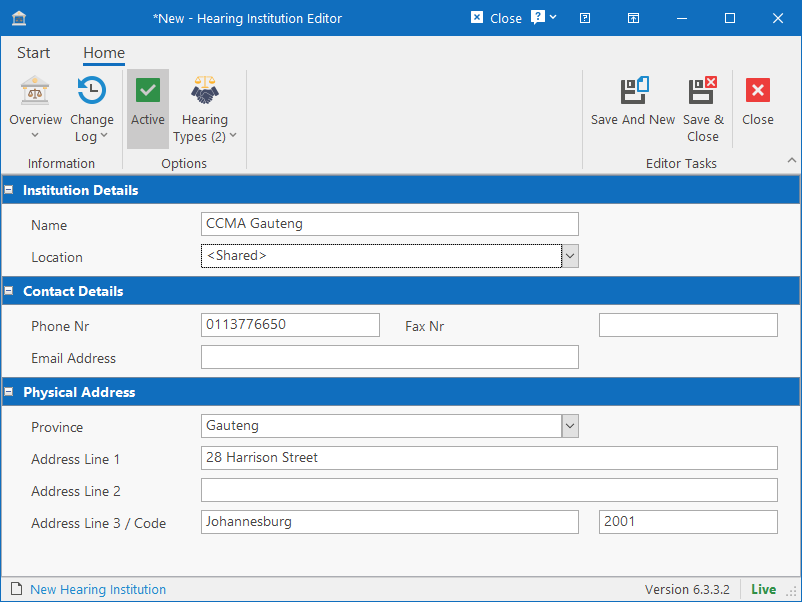
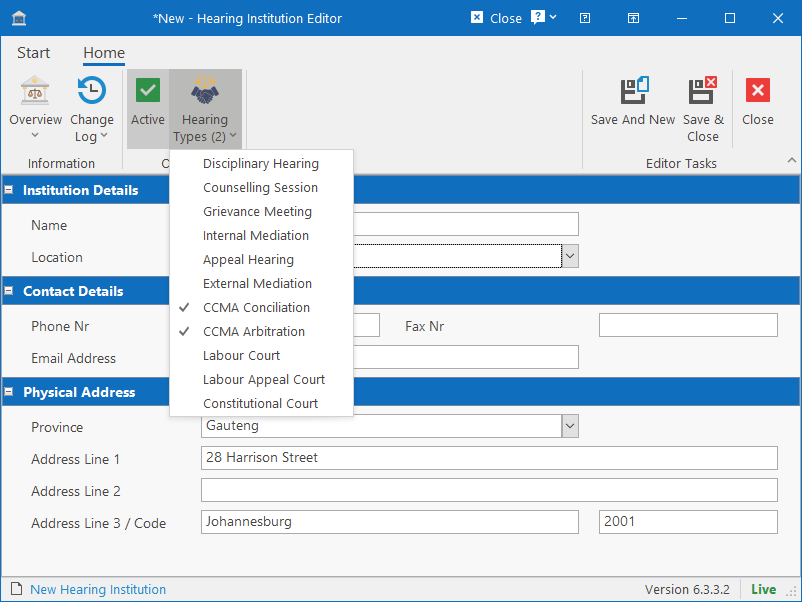
The editor form provides some basic fields that can be captured related to the institution. The important field is the Hearing Types dropdown button on the ribbon bar. Click on it and select which hearing types the institution applies to. This will determine if the institution will be available from the dropdown for those hearing types.