
How Can We Help?
-
HR Manage Application
-
-
- Articles coming soon
-
- Articles coming soon
-
- Articles coming soon
-
-
HR Manage Online
-
Config & Admin
-
IT Documentation
-
Version History
< All Topics
Print
Manage Sign Requests
Posted
Updated
Getting Started
To manage Sign Requests, go to either the Employee or Workflow module and click on the Sign Requests item on the left menu. This will open the Sign Request Manager that will list all sign requests that originated from HR Manage, whether through a workflow or directly.
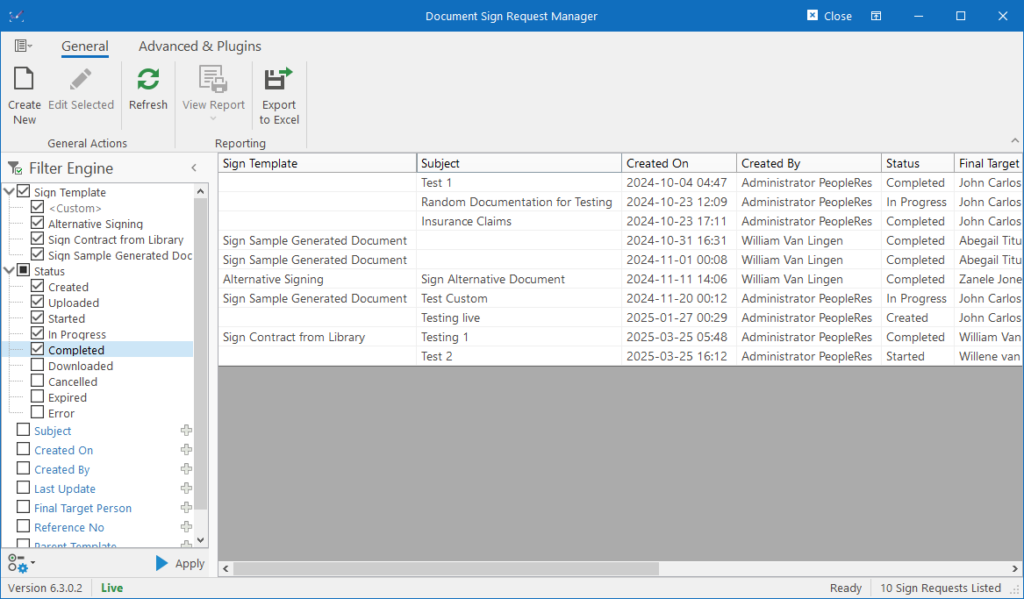
Note that this is an extension of a standard Manager Form in HR Manage. For more information about how to use it, see System Basics / Manager Forms.
Creating / Editing Sign Requests
To create a new Document Sign Request, click on the Create New button on the ribbon bar.
To edit an existing Document Sign Request, double-click a record or select a record and click the Edit Selected button on the ribbon bar.
This will open the Sign Request Editor.
Table of Contents